← Help centre
Building courses
Structure a course into modules, lessons and topics, and build rich content with the block editor.
For: Course creators & teachers-
1
Build the structure
In Teaching → Courses, open a course's builder. A course is organised into Modules → Lessons → Topics. Add, rename, reorder and delete each level; lessons can be locked so they unlock in sequence.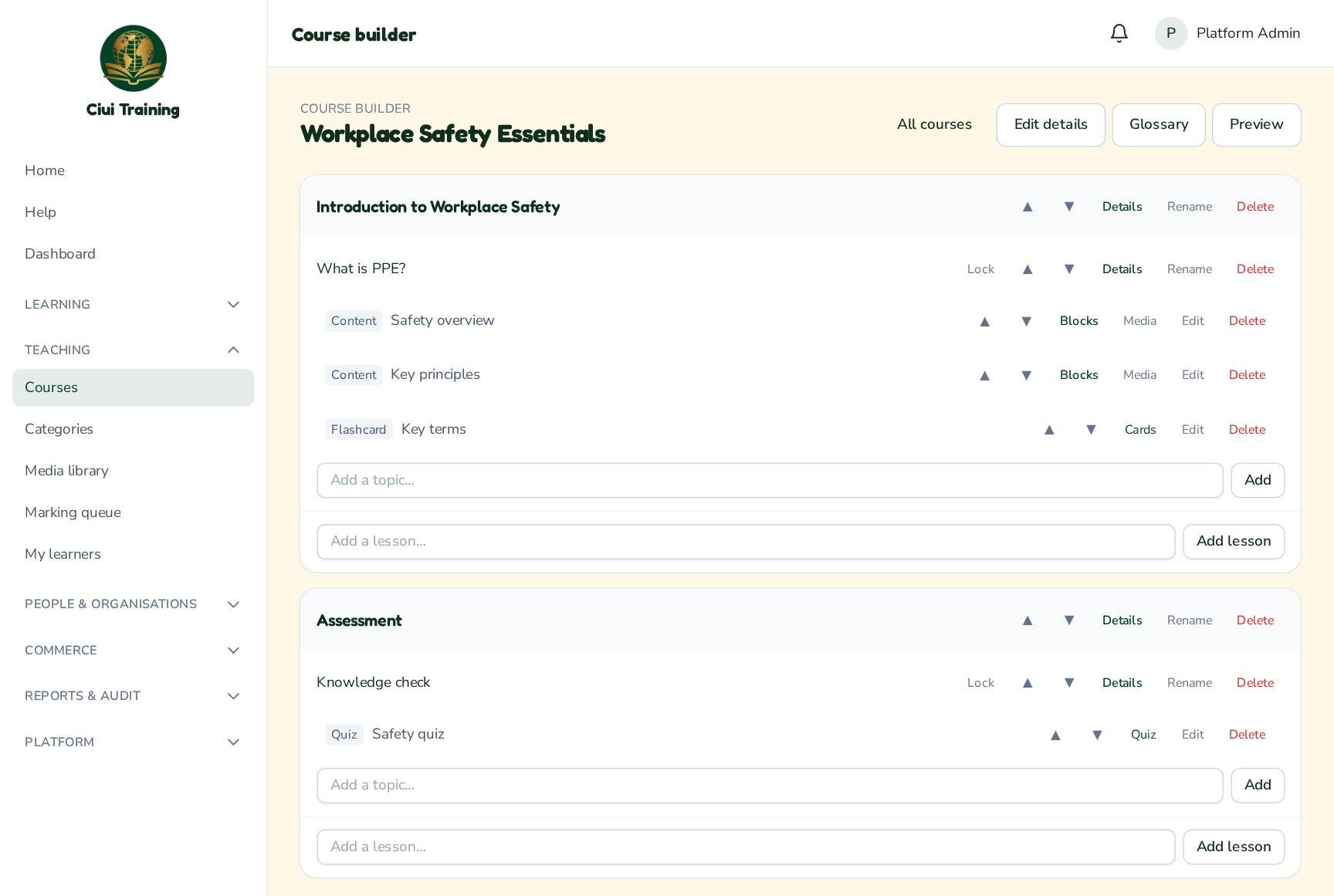
-
2
Add module & lesson details
Each module and lesson has a Details page: an Information section (built with blocks), plus Learning Objectives, Learning Outcomes and Success Criteria that you can add line by line. You can also control which user levels see it and whether its overview appears on the public course page.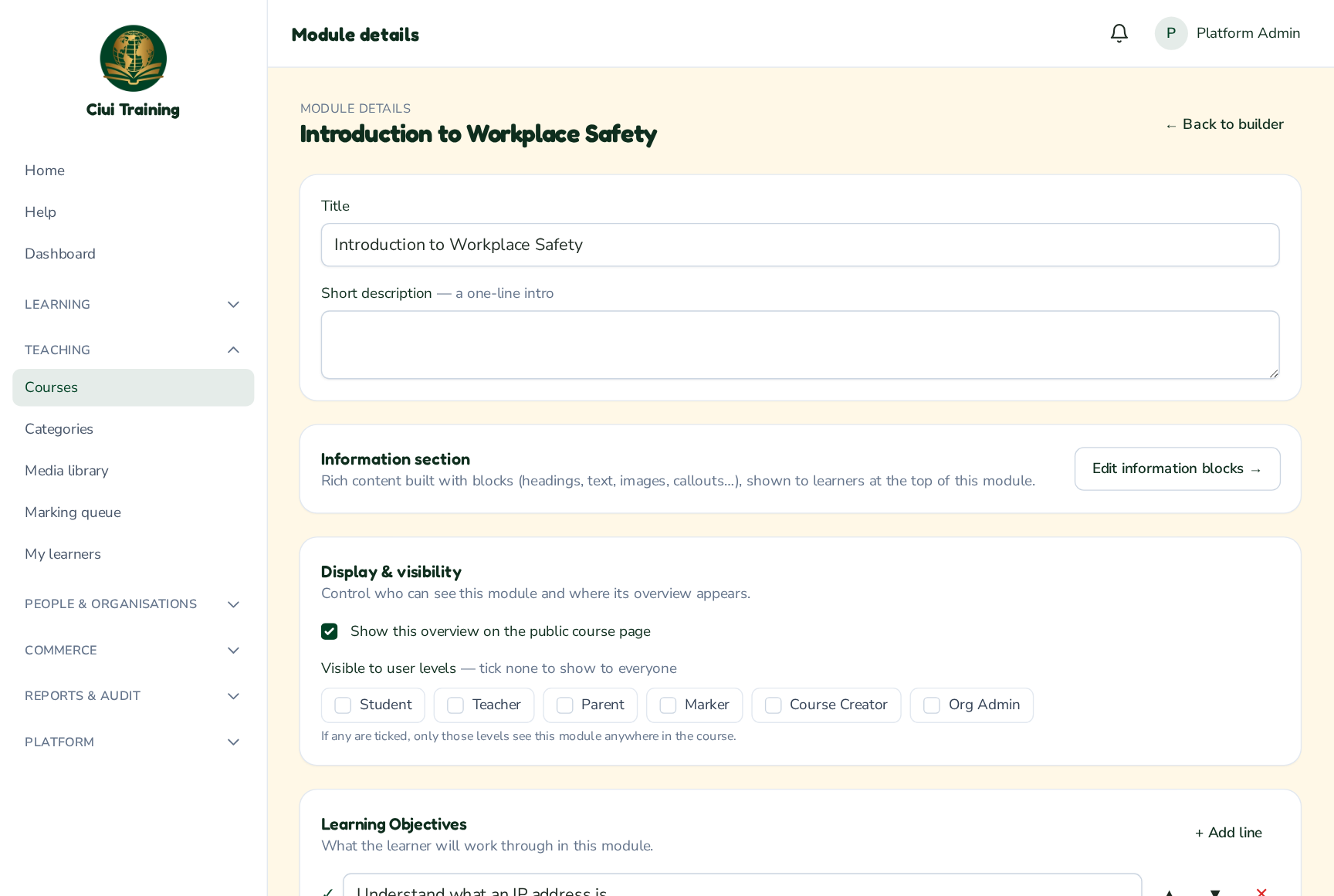
-
3
Build topic content with blocks
Open a topic's content blocks. Add blocks — headings, text, images, audio, video, callouts, toggle boxes, tables and more — and style each one (padding, borders, shadows, columns). You can also restrict a block to certain user levels.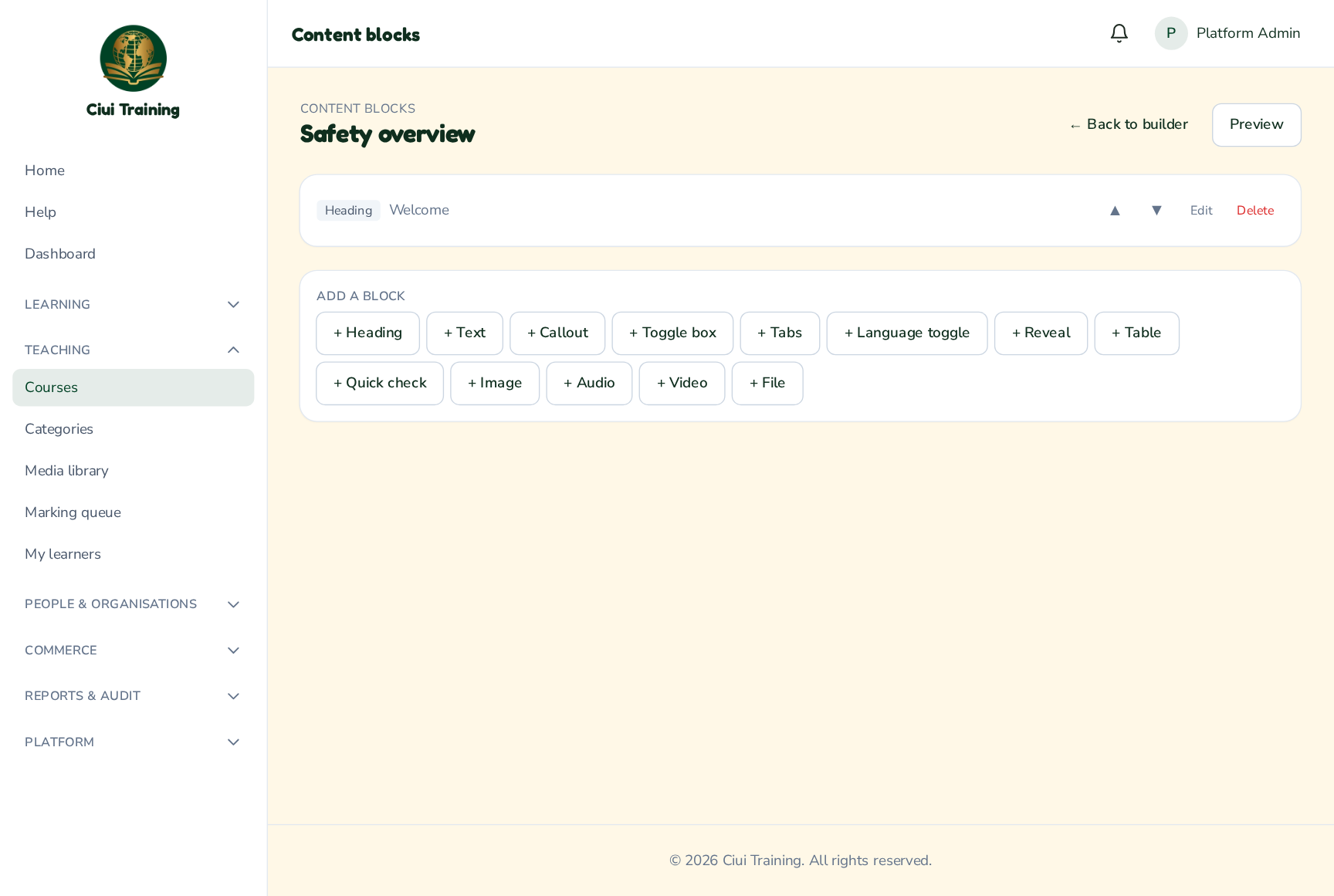
-
4
Add activities & quizzes
Topics can also carry interactive activities (flashcards, matching, drag-and-drop, fill-the-blank and more) and quizzes. Use the topic's type-specific editor, and Preview any time to see the course exactly as a learner will.
Still stuck? Ask your administrator, or the person who invited you, for a hand.