← Help centre
Courses & learning
Browse the catalogue, enrol, work through a course, and earn certificates.
For: Learners-
1
Browse the catalogue
Open Browse courses to see the available courses. Each card shows the subject, level and a short overview. Use the search box or the category chips to narrow things down.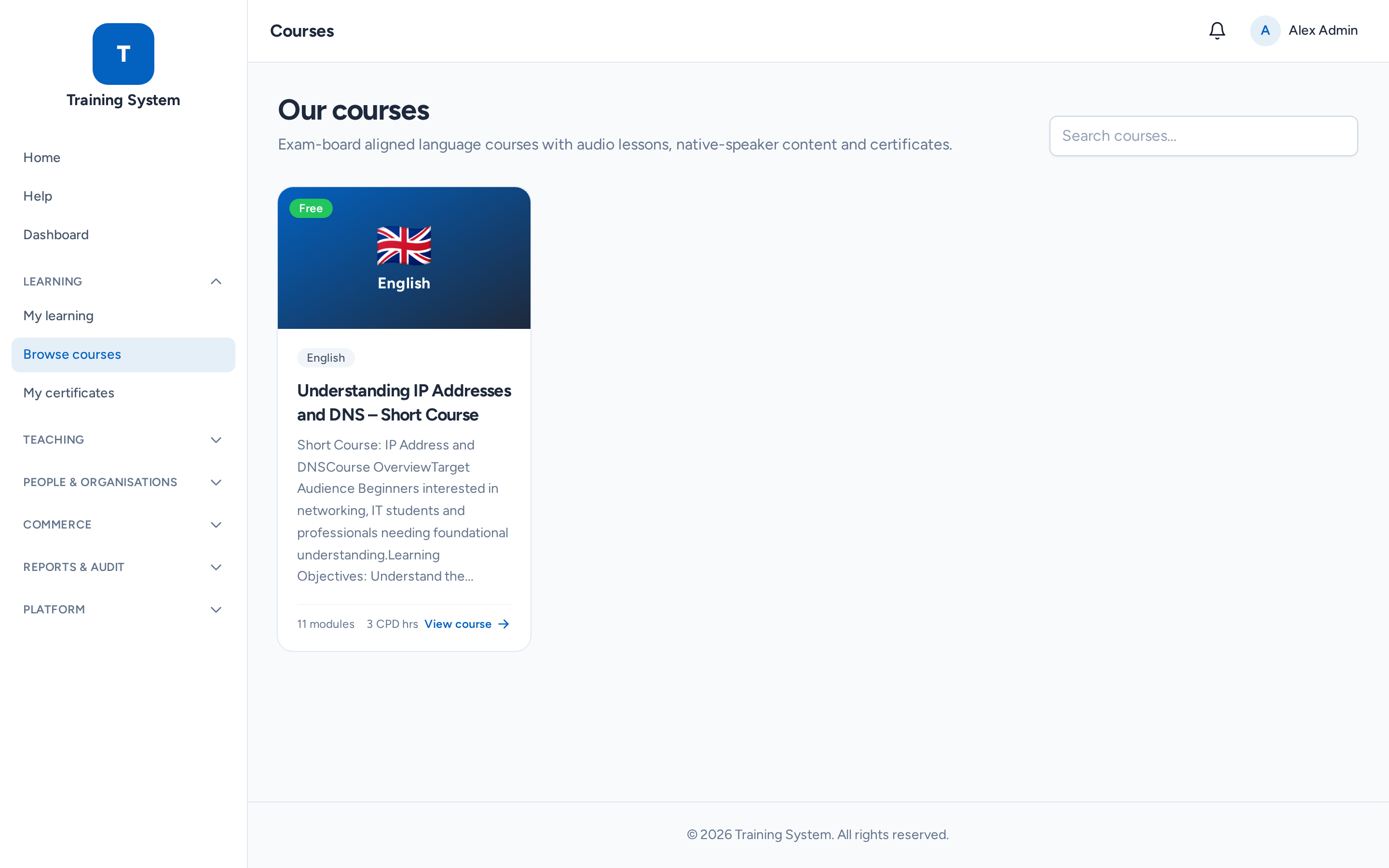
-
2
Open a course
Click a course to see its full overview — what you'll learn, who it's for, and the course content broken down by module and lesson. Free courses can be enrolled instantly; if you're not signed in you'll be asked to create an account first.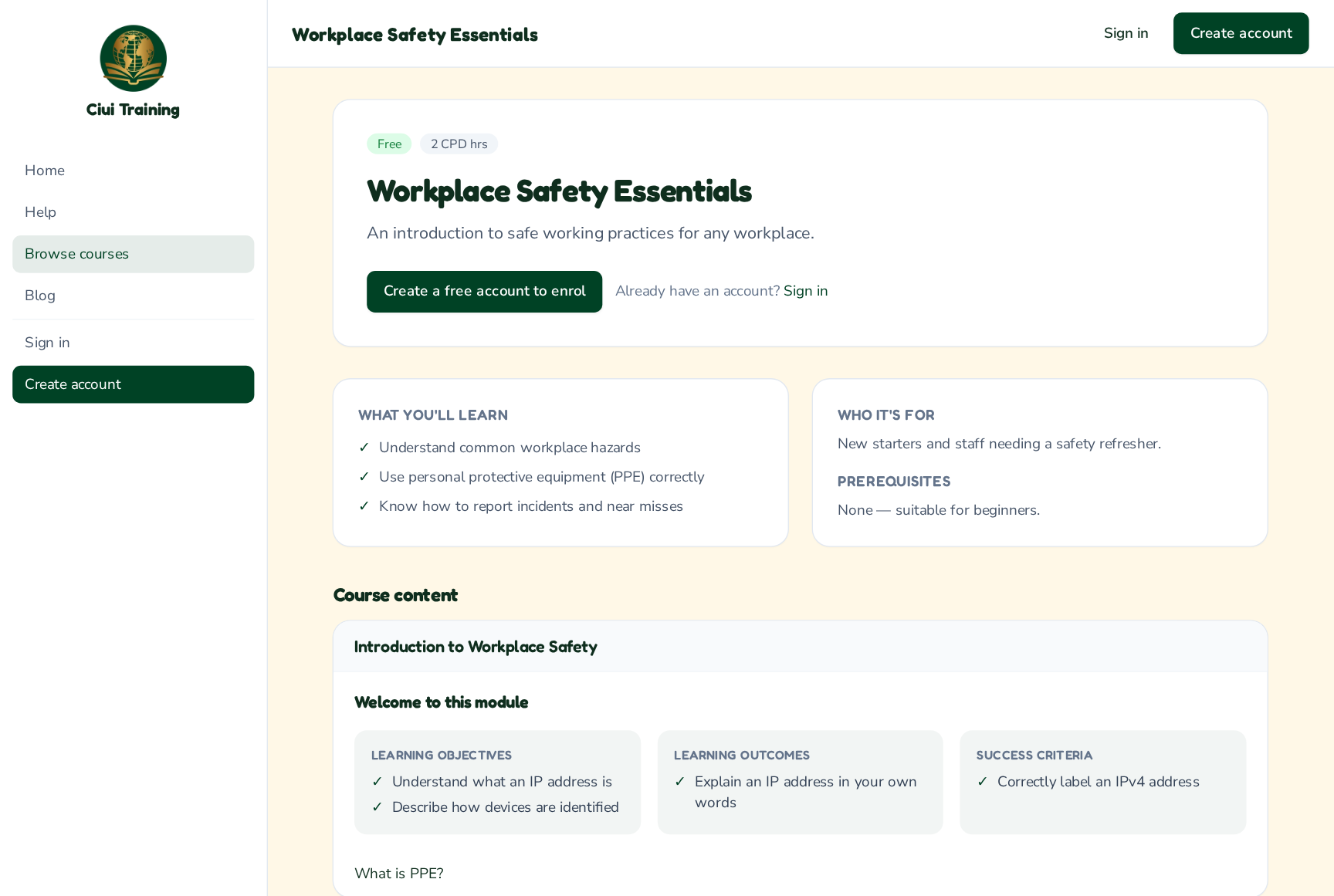
-
3
Learn
Inside a course, the sidebar lists modules, lessons and topics. Opening a lesson shows its overview (objectives, outcomes and success criteria) before the topics. Work through each topic — read, watch, listen and complete the activities — and mark it complete to move on.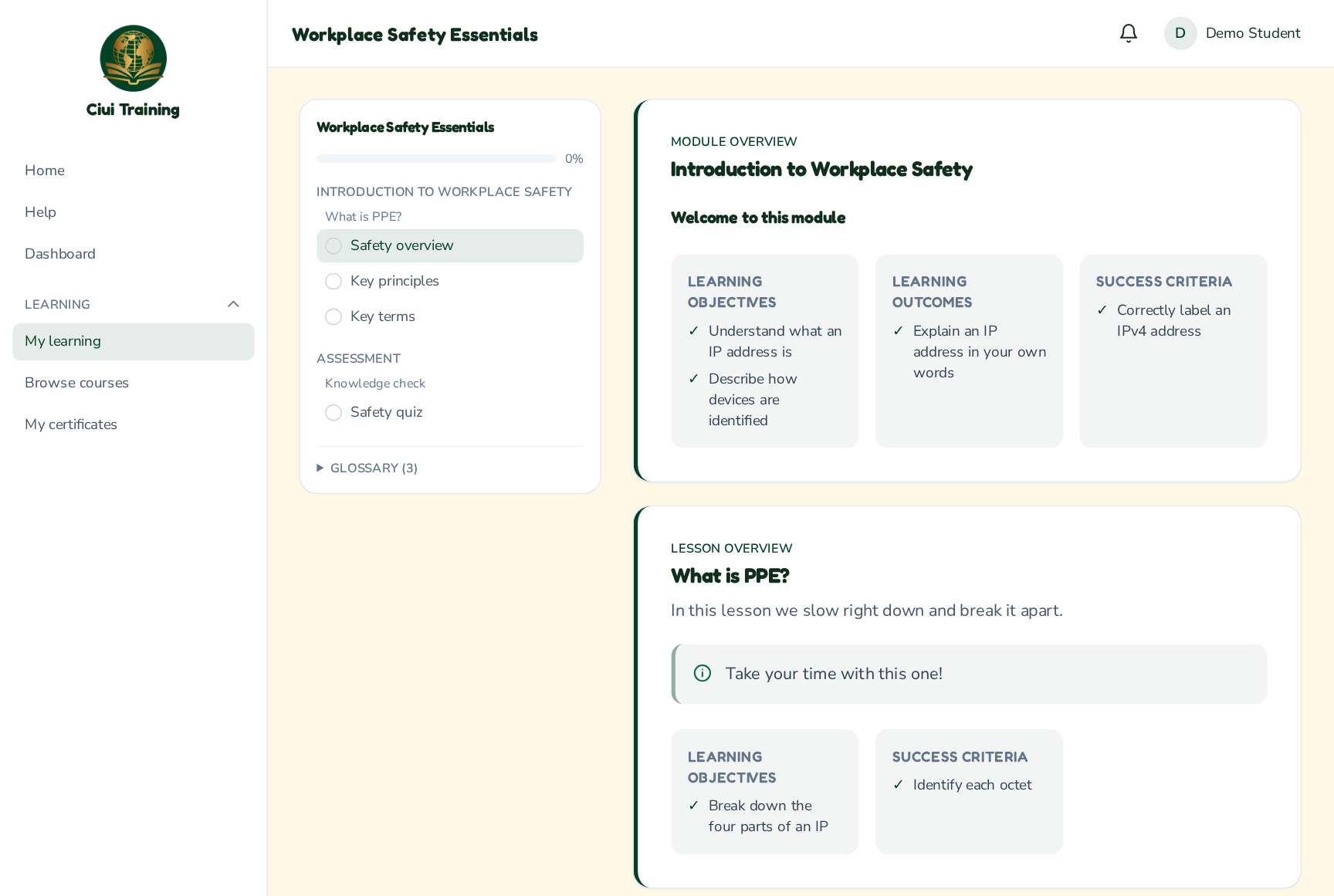
-
4
Track progress & certificates
Your progress is saved as you go — see it in My learning and on your dashboard. Finish a course to earn a certificate, available under My certificates with a shareable verification link.
Still stuck? Ask your administrator, or the person who invited you, for a hand.