← Help centre
Getting found by search & AI
Fill in the Search & AI panel so Google — and ChatGPT, Perplexity, Claude and Gemini — describe your courses correctly.
For: Course creators, teachers & admins-
1
Where to find it
Open any course, module, lesson, topic or blog post for editing and look for the Search & AI discoverability panel. Click Edit to open the fields, or How to write this well for the full guidance without leaving the page. Everything in the panel is optional — if you leave it empty we work something out from your existing content.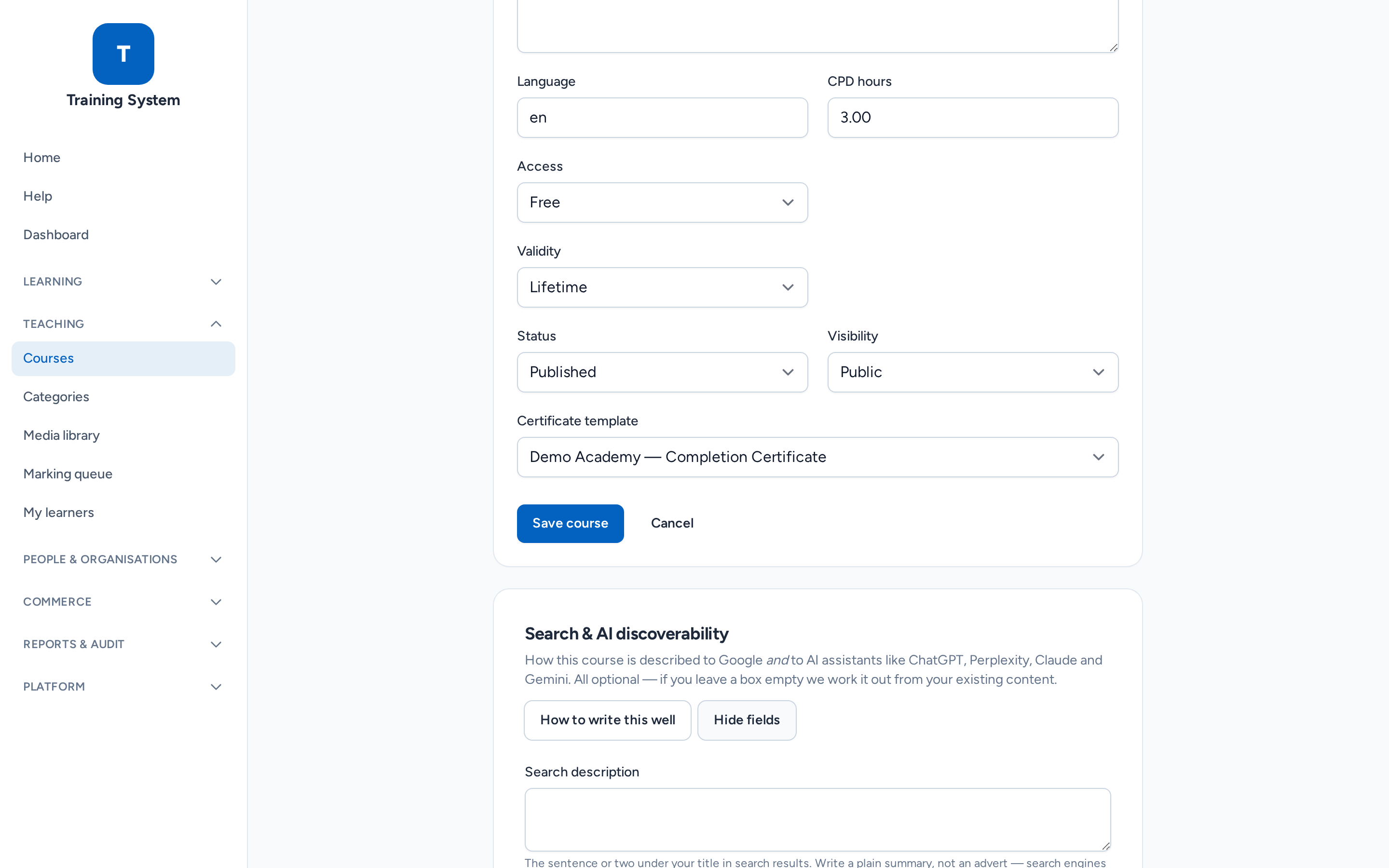
-
2
Why AI needs this, not just Google
When someone asks ChatGPT or Google's AI a question your course answers, those tools do not read your page the way a person does. They fetch it, pull out sentences that look like complete, self-contained facts, and quote or summarise them — often naming you as the source. A sentence that reads perfectly well in context can be useless once it is lifted out on its own. So "writing for AI" mostly just means writing in whole, nameable facts. -
3
The one field that matters most
The AI & search summary is the highest-value box on the page. Write two to four plain sentences that fully answer "what is this and what does it cover", so they make complete sense with nothing else around them. Name the actual subject — write "the Spanish perfect tense", not "this lesson". Avoid "as shown above" or "in this course", because a quoted sentence has no above and no context. This text is also shown on your public course page, so learners see it too.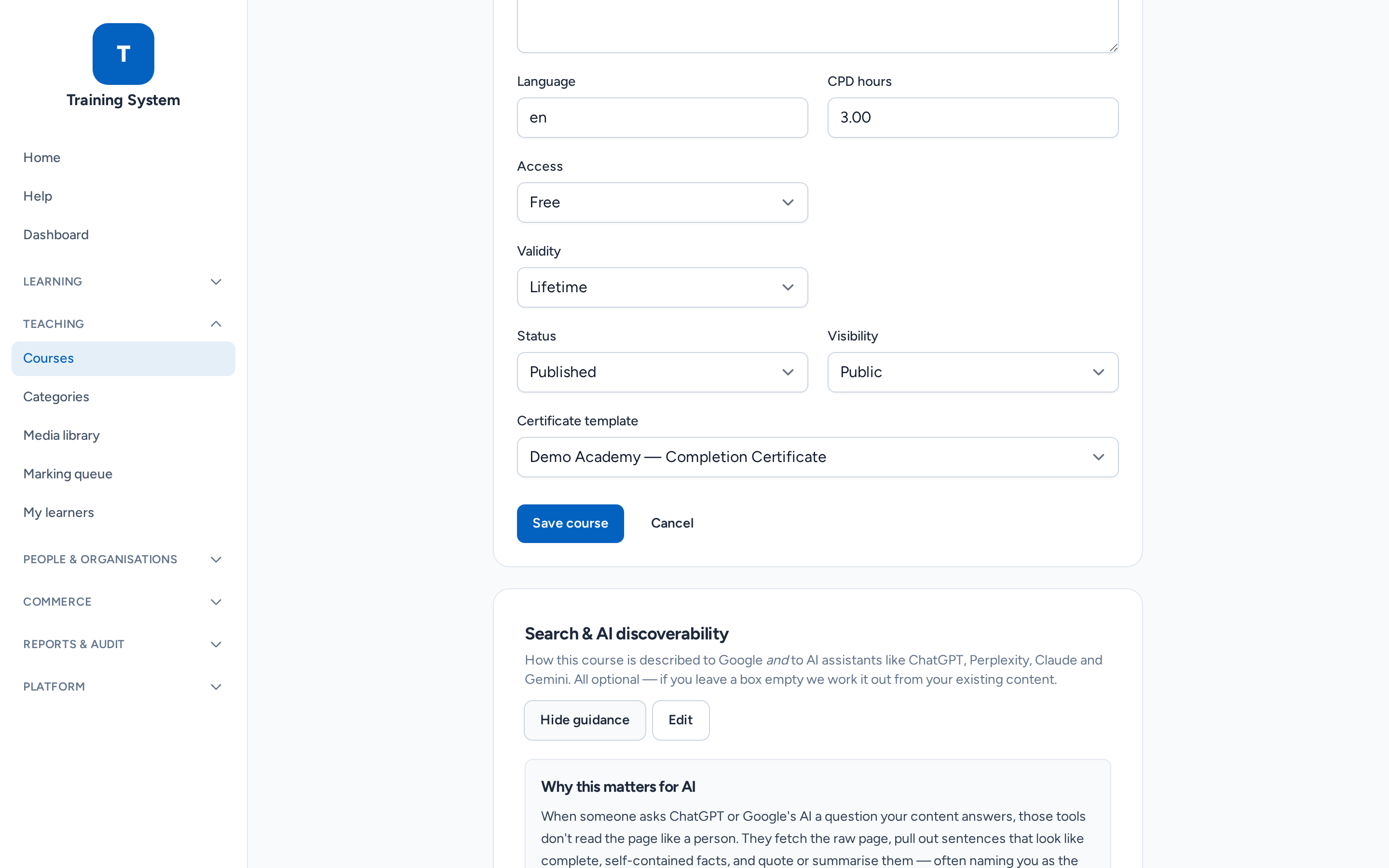
-
4
Add the questions people actually ask
Under Key facts / common questions you can add up to six question-and-answer pairs. Write the question the way someone would really ask it, and make each answer stand completely alone — imagine the reader only ever sees that one answer. These appear on your course page and are published in a format search engines and AI assistants read directly.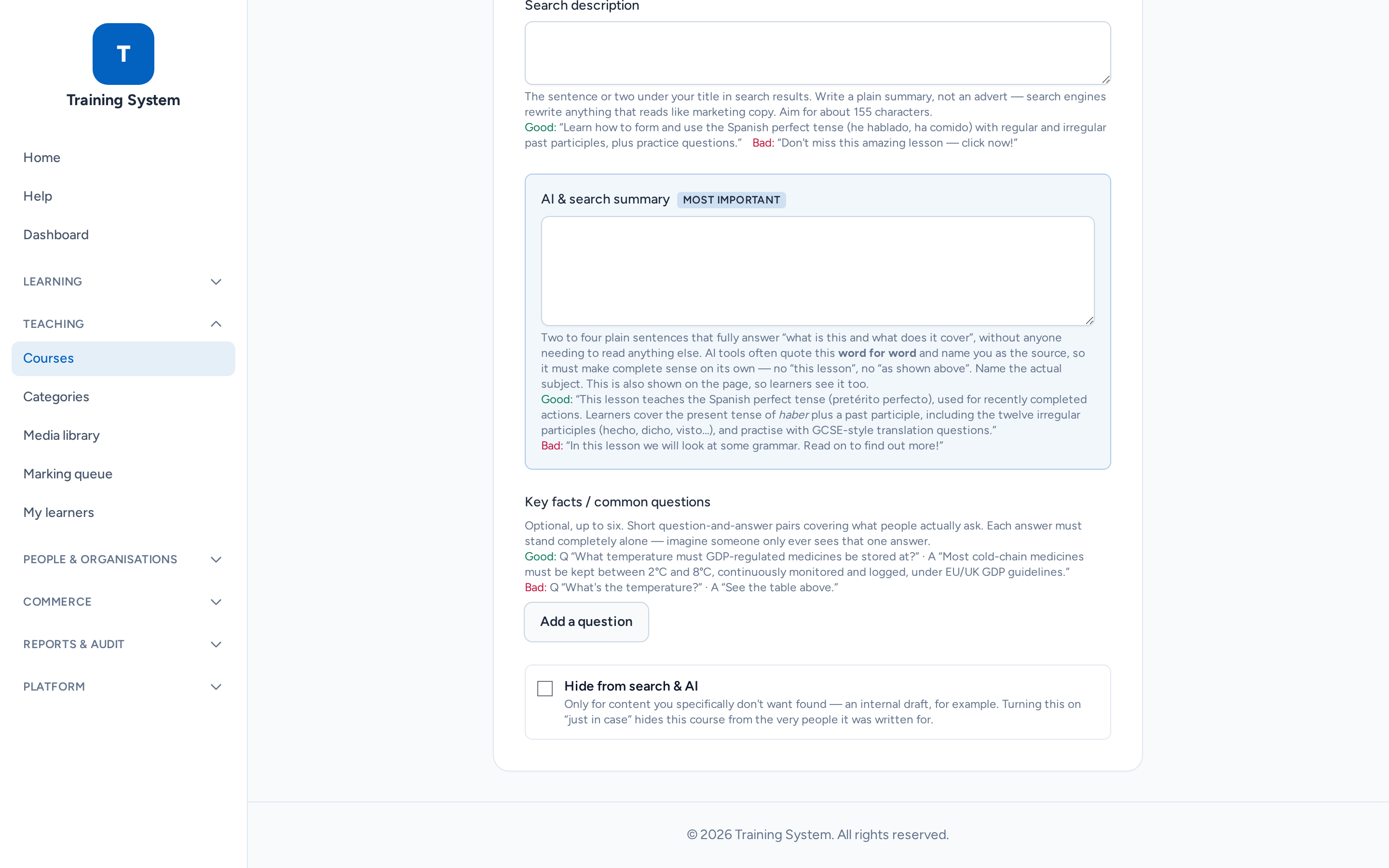
-
5
What good and bad look like
Good: "This lesson teaches the Spanish perfect tense (pretérito perfecto), used for recently completed actions. Learners cover the present tense of haber plus a past participle, including the twelve irregular participles, and practise with GCSE-style translation questions."
Bad: "In this lesson we will look at some grammar. Read on to find out more!" — it says nothing, so there is nothing anyone could quote or cite. -
6
Keeping something private
Tick Hide from search & AI only for content you genuinely do not want found — an internal draft, for example. Turning it on "just in case" hides the page from the very people it was written for. Note that course material behind enrolment is never published to search engines or AI in any case: only the summaries you write here are used publicly, which is exactly what they are for.
Still stuck? Ask your administrator, or the person who invited you, for a hand.