← Help centre
Teaching, marking & admin
Mark submissions, follow learner progress, and configure the platform.
For: Teachers & administrators-
1
Mark submissions
Teachers and markers see a Marking queue of submitted assignments and short answers awaiting a grade. Open an item, review the learner's work, and record your mark and feedback.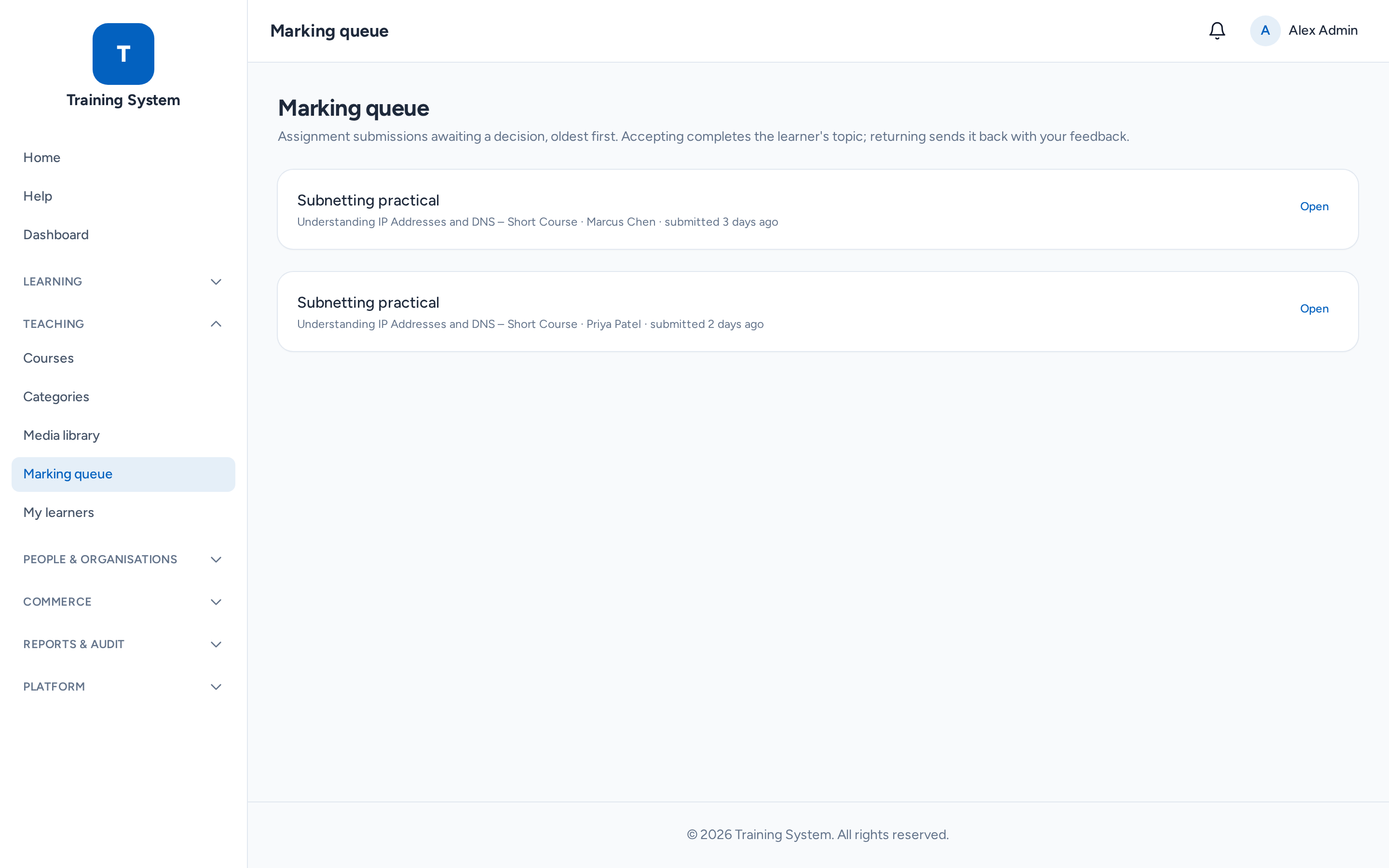
-
2
Follow learner progress
Use My learners (teachers) and My organisation (org admins) to see who is enrolled and how far along they are. Reports and CSV exports of training records are available to those with the right permissions. -
3
Configure the platform
Administrators use Platform → Settings & branding to set the name, logo, colours and email (SMTP) — all of it configurable, nothing hard-coded — plus email templates, certificate templates, blog and policy pages, and the role/permission matrix.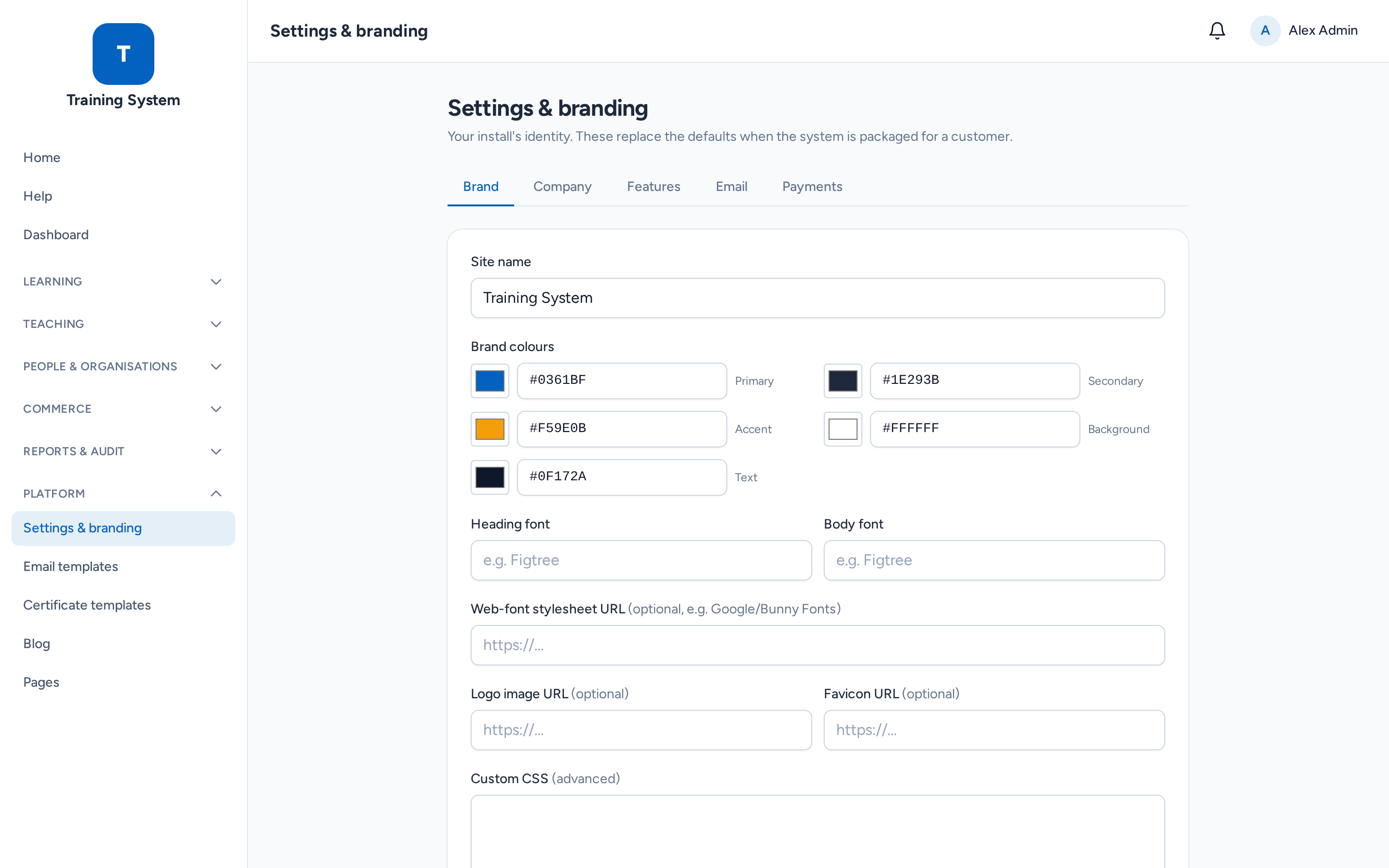
Still stuck? Ask your administrator, or the person who invited you, for a hand.